






How to Use eSIM on Your iPhone: A Traveller’s Step-by-Step Guide for Staying Connected
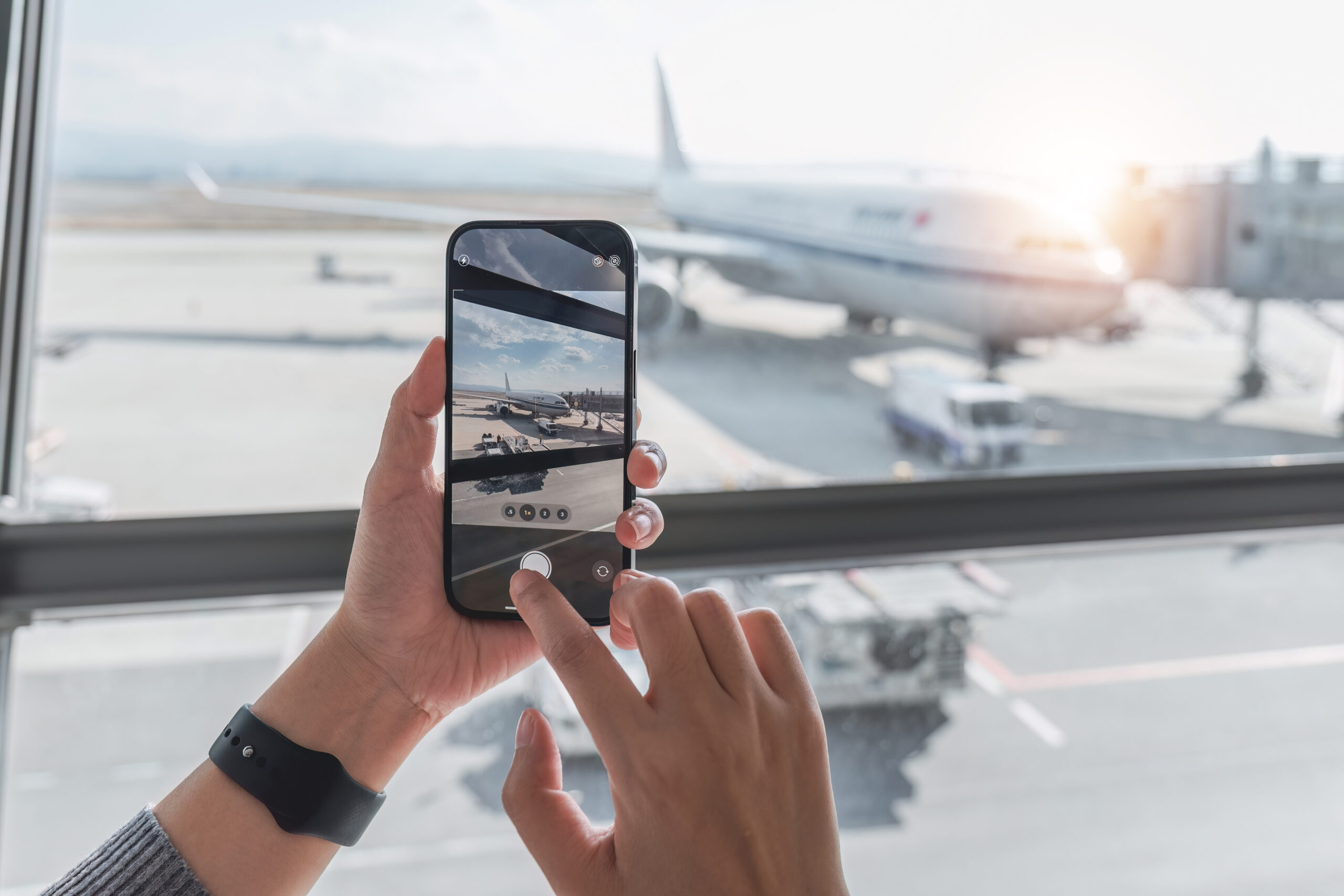
There was a time, and it wasn’t that long ago, when travelling internationally with your iPhone meant one of two things: paying eye-watering roaming charges on your UK plan, or hunting for a local SIM card the moment you landed, praying the airport kiosk was open and that you wouldn’t lose your home SIM somewhere between the arrivals lounge and your hotel room.
Those days are, mercifully, behind us.
eSIM technology has fundamentally changed the way we stay connected when we travel. For iPhone users in particular, it’s become one of the most useful features in the device, yet plenty of people still aren’t using it, simply because they’re not sure how it works or where to start.
If that’s you, this guide is going to fix that. Whether you’re a sole trader heading off to meet clients in Berlin, an SME owner whose team regularly travels for business, or simply someone planning a well-earned holiday, this step-by-step walkthrough will get you set up, connected, and in full control, without the headache or the inflated phone bill.
What Exactly Is eSIM, and Why Does It Matter for Travellers?
Let’s start with the basics, because it’s worth understanding what you’re actually dealing with.
eSIM stands for embedded SIM. Rather than a small, removable plastic card that slots into your phone, an eSIM is a chip built directly into the device itself. Instead of physically swapping cards, you download your carrier’s profile digitally, straight to your handset.
On the surface, this might sound like a minor technical tweak. In practice, the implications are significant, particularly for anyone who travels regularly or works across borders.
Here’s why it matters:
- You can activate a local data plan before you even leave the UK, meaning you step off the plane already connected.
- You can store multiple eSIM profiles on a single device and switch between them without touching a SIM tray.
- You can run two lines simultaneously, your home UK number for calls and texts, and a travel eSIM for data, all on one iPhone.
- There’s no physical card to lose, swap, or accidentally leave sitting on a hotel nightstand in Prague.
The growth in eSIM adoption tells its own story. According to a GSMA survey, 51% of people using eSIM technology are doing so specifically for travel. It’s comfortably the biggest use case driving adoption globally. Kaleido Intelligence estimates that eSIM activation rates will rise from around 30% in 2024 to 75% by 2030, which tells you this is firmly in the mainstream now, not a niche feature for early adopters.
For small and medium-sized businesses in particular, eSIM represents something genuinely useful: reliable, cost-effective connectivity for employees and owners on the move, without the administrative mess of expense claims and surprise roaming bills.
Step 1: Check Whether Your iPhone Actually Supports eSIM
Before you do anything else, you need to confirm that your device is compatible. The good news is that if you’ve bought an iPhone in the last several years, you’re almost certainly covered.
Apple introduced eSIM support with the iPhone XS, XS Max, and XR back in 2018. Every model released since then supports it. More recently, things have moved further still. iPhone 14 and later models sold in the United States are entirely eSIM-only, with no physical SIM tray at all. The iPhone Air, part of Apple’s iPhone 17 series, is eSIM-only globally, which signals clearly where the industry is headed.
Here’s how to check on your own device:
- Open the Settings app
- Tap Cellular (or Mobile Data, depending on your iOS version)
- Look for an option that says Add eSIM or Add Cellular Plan
If that option is visible, your phone is eSIM-ready.
There’s one more thing to check: your iPhone needs to be unlocked. A handset that’s locked to a specific carrier, say EE or O2, may prevent you from adding an international eSIM profile. To check, go to Settings → General → About and scroll down to find the Carrier Lock field. If it says “No SIM restrictions,” you’re free to use any provider. If not, contact your carrier to request an unlock. Most will do this at no charge once your contract has ended or your device is fully paid off.
Getting this sorted before you travel is essential. A locked phone that technically supports eSIM but can’t connect to international carriers will leave you stuck at the worst possible moment.
Step 2: Understand the Types of eSIM Plan Available
Not all eSIM plans are designed the same way, and picking the right one for your trip makes a real difference, both in terms of experience and cost.
There are three main categories to know about:
Data-only eSIMs are exactly what they sound like. They provide a mobile data connection in your destination country or region, without giving you a local phone number. For most travellers, this is perfectly sufficient. Apps like WhatsApp, FaceTime, FaceTime Audio, Google Meet, and Zoom all work over data. If you keep your home UK number active on your primary SIM line alongside the travel eSIM, you can still receive calls and texts on your British number, just without the roaming charge for data usage.
Full-service eSIMs include data, local voice calls, and SMS, along with a local phone number in your destination country. These are more relevant if you need to make calls to local businesses, such as booking restaurants or contacting suppliers, or if you’re working in a country for an extended period where having a local number matters.
Regional or global eSIMs cover multiple countries under a single plan. These suit multi-stop business trips or European travel particularly well. Rather than buying a separate eSIM for each destination, you activate one plan that works across all of them.
Here’s a quick comparison to help you decide:
| Plan Type | Data | Local Number | Best For | Typical Cost |
|---|---|---|---|---|
| Data-only eSIM | Yes | No | Short trips, leisure, app-based comms | Lower |
| Full-service eSIM | Yes | Yes | Extended stays, business travel | Moderate |
| Regional/Global eSIM | Yes | Sometimes | Multi-country itineraries | Varies |
For most SME owners and business travellers, a data-only eSIM combined with keeping your UK number active on your main line gives you the best of both worlds: affordable data, plus the ability to receive important calls on your regular number without missing anything critical.
Step 3: Choose a Reputable eSIM Provider
Once you know what type of plan you need, you’ll want to choose a provider. The market has grown considerably in recent years, and there are now several well-established options worth considering.
Airalo is one of the most widely used eSIM marketplaces, offering plans for over 200 countries and regions. It’s particularly popular for its straightforward app-based setup and competitive regional pricing. Holafly is a strong option if you want unlimited data plans, particularly useful if you’re planning to use your phone as a hotspot for a laptop during a business trip. Saily, launched by the security-focused company Nord (the people behind NordVPN), has gained traction among users who prioritise privacy and reliability. Truely is worth a look if you want transparency around pricing and network partners.
If you’re managing connectivity for a team, some providers, including Holafly, offer dedicated business eSIM platforms with centralised management, consolidated billing, and admin dashboards. According to Holafly’s business data, companies using dedicated eSIM solutions have reported savings of up to 85% compared to traditional roaming costs. That’s a number that should get any finance-minded SME owner paying attention.
When evaluating any provider, consider:
- Network coverage in your specific destinations (not all providers use the same local carriers)
- Data allowances and whether the plan is truly unlimited or throttled after a threshold
- Hotspot and tethering support, which is essential if you plan to connect a laptop
- Activation method, whether that’s a QR code, app-based, or a direct carrier link
- Customer support availability, particularly for time-sensitive business travel
Read recent user reviews and check provider websites for up-to-date coverage maps before committing. Coverage can vary meaningfully between providers even within the same country.
Step 4: Purchase Your eSIM and Receive Activation Details
Once you’ve chosen your provider and plan, the purchase process is entirely online and takes just a few minutes. You’ll typically receive one of the following:
- A QR code (displayed on screen or sent via email)
- An activation link to tap directly on your iPhone
- Instructions to use a dedicated provider app
The key piece of advice here: install your eSIM before you travel, ideally at home while connected to a stable Wi-Fi network. You don’t want to be standing in an airport trying to configure a new cellular profile with a suitcase on your foot and a gate about to close.
Most eSIM providers allow you to purchase in advance and choose when to activate. Some plans activate the moment you install the eSIM profile; others only become active when you first connect to a supported network in your destination country. Check this with your provider during purchase, as it affects how you should time your setup.
One important note: your iPhone must be connected to Wi-Fi to install an eSIM profile in most cases. Ensure you have a working internet connection before beginning.
How to Use eSIM on Your iPhone: The Installation Process
This is the step most people are slightly nervous about, but it’s genuinely simple once you know the process.
Installing via QR code (the most common method):
- Open Settings on your iPhone
- Tap Cellular or Mobile Data
- Select Add eSIM
- Choose Use QR Code
- Point your iPhone camera at the QR code provided by your eSIM provider
- Follow the on-screen prompts to confirm and complete the installation
Your iPhone will download the carrier profile and add it as a new cellular plan. You’ll be prompted to give it a label. Something descriptive like France Data or Europe Trip is helpful, particularly if you plan to build up a library of plans for destinations you visit regularly.
Installing via carrier app:
Some providers use their own app rather than a QR code. In this case, download the provider’s app from the App Store first, log in with your account credentials, and follow the in-app installation steps.
Installing via activation link:
If you receive an email with an activation link, open it on your iPhone directly (not on another device, as it needs to be installed on the handset you’ll be using) and follow the steps provided.
Once installed, the eSIM may activate immediately or wait until you arrive at your destination and connect to a local network, depending on the plan you’ve purchased.
Step 5: Configure Your Dual SIM Settings Correctly
This is where a number of travellers trip up, not with the installation itself, but with the settings afterwards. Getting this right is the difference between smooth, cost-free travel connectivity and inadvertently racking up roaming charges on your UK plan.
When you have both your UK SIM and your travel eSIM active, your iPhone is running what Apple calls Dual SIM functionality. You need to tell it clearly which line does what.
Here’s the recommended configuration for most business travellers:
- Go to Settings → Cellular (or Mobile Data)
- Under Default Voice Line, select your UK or home number, which ensures calls go through your regular number
- Under Cellular Data, select your travel eSIM, which routes all data through the local plan
- Critically, turn off “Allow Cellular Data Switching”, which prevents your iPhone from automatically switching back to your home carrier’s data connection and generating roaming charges
That last step is particularly important. If Allow Cellular Data Switching remains enabled, your iPhone may briefly use your home carrier’s data in areas where your travel eSIM signal is weaker, and that can result in unexpected charges appearing on your UK bill. Disabling it keeps you firmly on the local plan.
You can also configure which line handles iMessage and FaceTime. Generally it’s worth keeping these on your home number so that colleagues and clients can reach you on your familiar UK contact details.
Apple’s own support documentation confirms that you can store eight or more eSIM profiles on a compatible iPhone, though typically only two lines can be active simultaneously. This makes it practical to build up a library of country-specific plans for destinations you visit regularly, simply activating the relevant one before each trip.
Step 6: Activating and Connecting Once You Land
With your eSIM installed and settings configured, arriving in a new country should feel seamless. Here’s what to do:
- Disable aeroplane mode once you’re permitted to
- Ensure your travel eSIM line is toggled on in Settings
- Wait a few moments for your iPhone to detect and connect to a local network
In most cases, signal bars will appear within a minute or two and you’ll be online without any further action needed.
If you’re not connecting automatically, you can select a network manually:
- Go to Settings → Cellular → Network Selection
- Toggle off Automatic
- Your iPhone will scan for available networks. Choose one recommended by your eSIM provider, which is usually listed in their app or confirmation email.
Some providers specify which local network their eSIM uses in a given country. Sticking to that recommended network will generally give you the best experience in terms of speed and reliability.
How Much Data Do You Actually Need?
Getting your data allowance right matters both practically and financially. Buy too little and you’ll be rationing every map search; buy too much and you’ve paid for gigabytes you’ll never use.
Here’s a sensible rule of thumb based on typical usage:
- Light usage (navigation, emails, messaging apps like WhatsApp): 1 to 3GB per week
- Moderate usage (social media, video calls, general browsing): 5 to 10GB per week
- Heavy usage (streaming, regular video calls, using your iPhone as a hotspot for a laptop): 15GB or more per week
For business travellers, hotspot usage is the big variable. If you plan to tether your laptop to your iPhone, working from a hotel room or café without reliable Wi-Fi, your consumption climbs sharply. A Google Meet or Microsoft Teams video call typically uses around 1GB per hour. Bear that in mind when choosing your plan.
Monitor real-time data usage at any point by going to Settings → Cellular and scrolling down to see usage broken down by app. It’s worth checking periodically on longer trips to make sure you’re not approaching your cap unexpectedly.
Common Mistakes to Avoid
eSIM is straightforward to use, but there are a handful of pitfalls that catch people out, particularly on their first time through.
Not checking carrier lock status before travelling. A locked iPhone cannot use an international eSIM profile. Sort this out before you go, not at the airport.
Leaving roaming enabled on your home SIM. Even with a travel eSIM active for data, your home SIM remains functional. If roaming is switched on and your iPhone uses it, even briefly, you may see charges on your UK bill. Check with your carrier and disable international data roaming on your home line if you don’t need it.
Scanning the QR code on the wrong device. The eSIM QR code must be scanned directly on the iPhone you intend to use it on. You can’t scan it on a laptop or another phone, and codes are typically single-use.
Deleting the eSIM profile prematurely. Some travellers delete their eSIM after a trip without realising they may want to reuse it. Check whether the provider allows reactivation before deleting, as many don’t offer a second activation on the same profile.
Underestimating data consumption. Maps, streaming services, ride-hailing apps, and social media video all consume data quickly. A larger plan bought in advance is almost always cheaper than topping up in a hurry mid-trip.
Not testing the eSIM before you actually need it. If you’re travelling for an important business meeting, the worst time to discover your eSIM isn’t working is when you’re trying to navigate to a client’s office in an unfamiliar city. Install it a day or two before departure, connect briefly to confirm it’s functioning, and verify your settings are correct.
eSIM Security: What You Need to Know
One of the less-discussed advantages of eSIM is its security profile. Because the SIM is embedded in the device rather than being a removable card, it cannot be physically stolen or swapped out. This matters more than it might seem. SIM-swap fraud, where criminals convince a carrier to transfer your number to a SIM they control, is a real and growing threat. eSIM’s architecture makes this considerably harder to execute.
Apple’s own support pages note explicitly that eSIM is more secure than a physical SIM precisely because it can’t be removed if your iPhone is lost or stolen.
That said, using eSIM doesn’t protect you from all digital risks while travelling. A few sensible practices to maintain:
- Use a VPN when accessing sensitive accounts or business data over public Wi-Fi. This is good practice regardless of whether you’re using eSIM or a physical SIM.
- Keep iOS updated to the latest version before and during travel, as security patches matter.
- Enable two-factor authentication on important accounts, including email, banking, and business management tools.
- Avoid untrusted public Wi-Fi networks for anything sensitive. Your travel eSIM data connection is almost always the safer option in a hotel lobby or airport café.
eSIM for SMEs: The Business Case
Let’s take a step back, because if you’re running a small business and your team travels at all, there’s a compelling operational case for getting everyone onto eSIM.
The headline number is striking: some businesses have saved up to 85% on international roaming costs by switching to managed eSIM solutions, according to Holafly’s business platform data. Even if your reality is somewhat more modest than that, the directional logic holds. Pre-purchased local data plans are nearly always cheaper than paying your UK carrier’s international roaming rates.
Beyond cost, there are real operational benefits.
Predictable budgeting. Unlike roaming charges that can surprise you at the end of a billing cycle, eSIM plans have a fixed cost agreed upfront. Finance teams and budget-holders appreciate the predictability, and it removes the awkward conversation about a phone bill that’s come in higher than expected.
Reduced admin. No more employees submitting expense claims for SIM cards purchased in foreign airports. No reimbursement paperwork. The plan is purchased in advance, often centrally if you’re using a business eSIM platform, and tracked in one place.
Reliability. Pre-purchased eSIM plans activate on arrival without depending on airport SIM kiosks being open, stocked, or correctly issuing a card that works. For business travel where timing matters, this consistency is genuinely valuable.
Scalability. As your business grows and more team members travel, eSIM scales without additional logistics. There’s no physical SIM inventory to manage, no cards lost in transit, no expired plans sitting unused.
For SME owners who want to formalise this, dedicated business eSIM providers such as Holafly Business offer centralised dashboards where you can assign, monitor, and manage data plans for multiple employees simultaneously, with consolidated billing rather than individual invoices per trip.
When a Physical SIM Might Still Make Sense
To be balanced: eSIM isn’t always the right answer for every situation.
If you’re staying in a single country for an extended period, say several weeks or months, a local physical prepaid SIM is often significantly cheaper than any eSIM plan, particularly in markets like Southeast Asia where local mobile data is exceptionally affordable.
If you’re travelling to a destination with limited eSIM carrier support, options may be restricted or coverage patchy. This is less of a concern in major business travel destinations across Europe, North America, and the Asia-Pacific, but it’s worth checking for less-visited locations.
If your iPhone is older or carrier-locked and can’t be unlocked in time, a physical SIM may be the only practical option.
In all other circumstances, and for the vast majority of business and leisure travel to mainstream destinations, eSIM is the more convenient, increasingly cost-competitive, and more reliable choice.
What’s Coming Next for eSIM
It’s worth briefly noting where eSIM is heading, because the trajectory is firmly in one direction.
Apple has signalled its long-term commitment to eSIM by making the iPhone Air entirely eSIM-only worldwide. Juniper Research forecasts that the proportion of eSIM-capable smartphones globally will grow from 45% in 2025 to 58% by 2028. Meanwhile, eSIM is being integrated into adjacent ecosystems, including travel booking platforms, fintech apps like Revolut, and wearable devices, making connectivity increasingly embedded in tools people already use daily.
For businesses, this means eSIM is not a niche consideration. It’s rapidly becoming the default expectation for how mobile connectivity works. Getting familiar with it now means you’re ahead of the curve, not scrambling to catch up.
Final Thoughts: Make eSIM Work for You
eSIM on your iPhone is one of those technologies that sounds more complicated than it actually is. Once you’ve been through the setup process once, it takes minutes, and the convenience it delivers, particularly for regular travellers and anyone managing a business, is genuine and lasting.
The practical upshot is clear. You can leave the UK with your data plan already active, your home number still reachable, and zero risk of a bill-shock moment when your statement arrives. You can manage multiple countries within a single trip without visiting a single shop or queueing at a carrier kiosk. And you can remove the admin overhead of international connectivity entirely, which frees up mental bandwidth for the actual work of travelling and doing business.
Before your next trip, take twenty minutes to work through this checklist:
- Confirm your iPhone is unlocked and eSIM-compatible
- Research and purchase a plan from a reputable provider
- Install the eSIM at home over Wi-Fi, a day or two before you leave
- Configure your dual SIM settings correctly, particularly disabling cellular data switching
- Test the connection briefly before you travel
Do that, and you’ll land in your destination city with one fewer thing to worry about. And if you’ve ever juggled a client meeting and a connectivity crisis at the same time, you’ll know that’s worth rather a lot.
Is your business managing travel connectivity for a team? Consider exploring dedicated business eSIM platforms that centralise billing and management. The operational and cost savings tend to stack up quickly once more than a couple of people are travelling regularly.